Create Professional Q&A Videos Online for Free
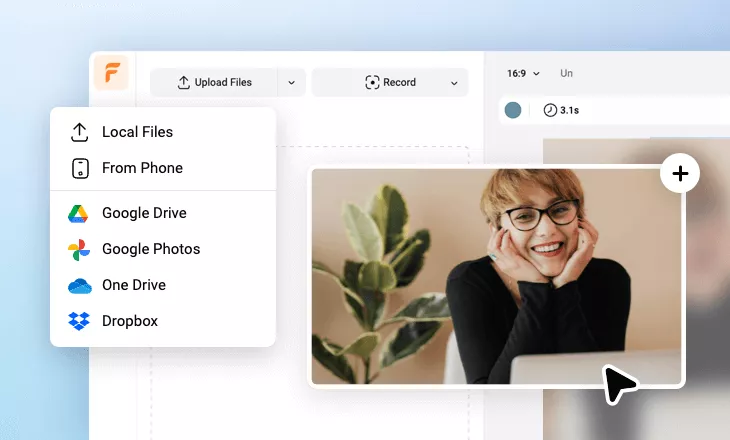
FlexClip's free Q&A video maker online is the ultimate video production solution to generate all types of Q&A videos that're user-friendly, quality-high and tailored for any topics. Scan through professionally designed Q&A video templates, animations, marks and other designs, drag and drop the ones on the dashboard of video editing interface to begin your video production. Whether you need a Q&A video for kids, students or adults, you can always find proper text designs, background music or other video elements to edit your Q&A video to perfection. Give it a try for free now!
Make a Free Video Handy video editor
 Rich video templates
 Extensive media library
 Dynamic text animations
- Trusted by:






Exquisite Q&A Video Templates for Free
 CustomizeAI Recreate
Q And A Youtube Channel Intro Outro
 CustomizeAI Recreate
Illustrated Casual Q And A Style Vlog
 CustomizeAI Recreate
Food Brand Q And A Instagram Reels
 CustomizeAI Recreate
Question And Answer
 CustomizeAI Recreate
10 Questions Quiz For Halloween Challenge Youtube Channel Intro
 CustomizeAI Recreate
Green Terror Forest Graveyard Happy Halloween Knowledge Quiz Challenge Game Youtube Intro
 CustomizeAI Recreate
Retro Funny Guess Character Cartoon Quiz Challenge Youtube
 CustomizeAI Recreate
Futuristic Technology Conference Presentation Ai Business Company
 CustomizeAI Recreate
Travel Questions And Answers
 CustomizeAI Recreate
Retro Funny Pixel Game Knowledge Quiz Youtube
 CustomizeAI Recreate
Business 5 Questions Tech Geography Quiz Video
 CustomizeAI Recreate
Geography Quiz Challenge Quiz Animal Comic Background Fun Game Youtube Channel
Why You Need to Make a Q&A Video

Share Moments
Making a video story is a great way to share your important moments with family and friends.

Evoke Emotion
A video can convey strong emotion and resonate well with audiences.

Improve Engagement
People are more likely to engage, share, and comment on video content.
How to Make a Q&A Video in 3 Steps
- 1
Add Media
Add videos or photos from computer or stock libraries to the scene.
- 2
Customize
Add text, music, and voiceover to customize your Q&A video.
- 3
Export
Download your Q&A video in various ratios and definitions or share it online with the world.