Record, Compile, Edit & Create any Gameplay Video Online for Free
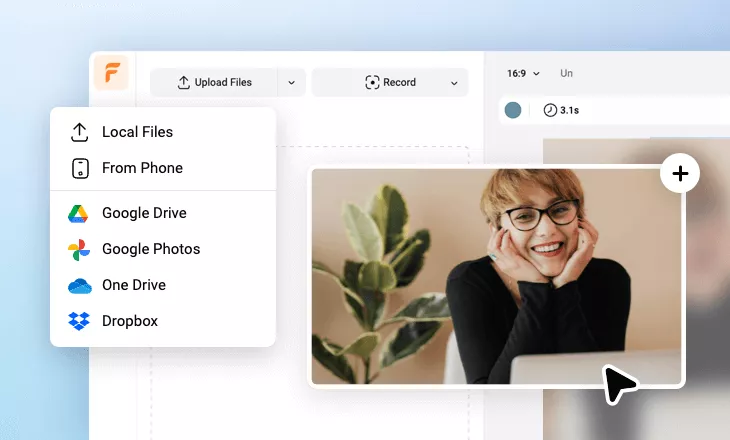
Effortlessly record, compile, edit & produce an engaging gameplay video like a blockbuster using FlexClip's free gameplay video generator in a browser, hot gameplay templates & designs of gaming intros, countdowns, captions, etc. FlexClip has streamlined the process of creating gameplay videos, memes and animations for a quick social share - drag and drop to upload and clip gameplay footage, one click to change the ratio of your gameplay video to meet different platform requirements. Enable the generative AI technology to find endless catchy gameplay scripts and awesome gameplay visuals to use, then personalize everything to your liking by trying different gaming overlays, effects, play speed, etc. Get started for free now!
Make a Free Video Handy video editor
 Rich video templates
 Extensive media library
 Dynamic text animations
- Trusted by:






Awesome Gameplay Video Templates for Free
 CustomizeAI Recreate
Futuristic Technology Red Glowing Lines Lights Abstract Portrait Picture
 CustomizeAI Recreate
Basketball Game Highlights
 CustomizeAI Recreate
Astronaut Tech Future Profile Picture
 CustomizeAI Recreate
Red Glitch Epic Game War Tech Youtube Channel Subscribe Outro Intro
 CustomizeAI Recreate
Game Commentary Japanese
 CustomizeAI Recreate
Animated Game Virtual Reality Future
 CustomizeAI Recreate
Game Glitch Laser Neon Circle Profile Picture
 Customize
Game Channel Intro
 CustomizeAI Recreate
Colorful Modern Neon Game Tech Profile Picture
 CustomizeAI Recreate
Game Review Intro Outro
 CustomizeAI Recreate
Basketball Game Team Intro
 CustomizeAI Recreate
Game Technology Futuristic Abstract Neon Profile Picture
Why You Need to Make a Gameplay Video

Share Moments
Making a video story is a great way to share your important moments with family and friends.

Evoke Emotion
A video can convey strong emotion and resonate well with audiences.

Improve Engagement
People are more likely to engage, share, and comment on video content.
How to Make a Gameplay Video in 3 Steps
- 1
Add Media
Add videos or photos from computer or stock libraries to the scene.
- 2
Customize
Add text, music, and voiceover to customize your gameplay video.
- 3
Export
Download your gameplay video in various ratios and definitions or share it online with the world.